New Cost Reports: Calculate Your Restaurant Food Cost Without POS Integration
POS not connected to your management software? Learn how to import sales from any file or Z-report photo to track your theoretical stock and actual Food Cost.
Achieving real financial control in a restaurant requires answering one essential question: **how much food should you have consumed based on your actual sales compared to what was truly spent in the kitchen?** Answering this question gives you your **true Food Cost**, reveals your **theoretical vs. actual stock**, and spots kitchen wastage, over-portioning, or inventory shrinkage early. Yet for most restaurant operators, getting this data has historically been a bottleneck due to one major obstacle: **the Point of Sale (POS) system**. Many restaurants rely on legacy, local, or closed POS systems without modern APIs. In other cases, POS vendors charge hefty fees just to unlock sales data export integrations. At Tavola, we believe technology should empower your operations, not create technical barriers. That is why we are excited to introduce our latest feature: **Cost Reports with Universal Sales Import from Files or Images**. --- Starting today, your POS system does not need a direct integration with Tavola for you to generate professional cost reports. Whether your system exports sales reports in **PDF, CSV, or Excel**, or if you simply snap a **photo of your daily Z-report receipt**, Tavola's AI engine automatically parses your sales data and pairs it with your inventory counts and recipes in seconds. --- The setup takes just 4 clear steps: Open your Tavola dashboard and head to **Reports ➔ Cost Reports**. Click **Add Report** and pick the starting and ending inventory counts for the period you want to audit (for example, the first and last days of the month, or a weekly cycle). In the second step, select: * **Import sales from a file (Recommended):** Unlocks theoretical stock calculation, variance analysis, and true Food Cost %. * **Do not import sales:** Best if you only want to measure basic real consumption across inventories, purchases, and recorded wastes. Drag and drop your sales document. Tavola supports **PDF, CSV, Excel (XLSX), or image files (PNG, JPG) of your Z-report or register ticket** up to 25MB. Our AI instantly analyzes the file, extracting each sold dish or beverage, the number of units served, and total detected revenue. 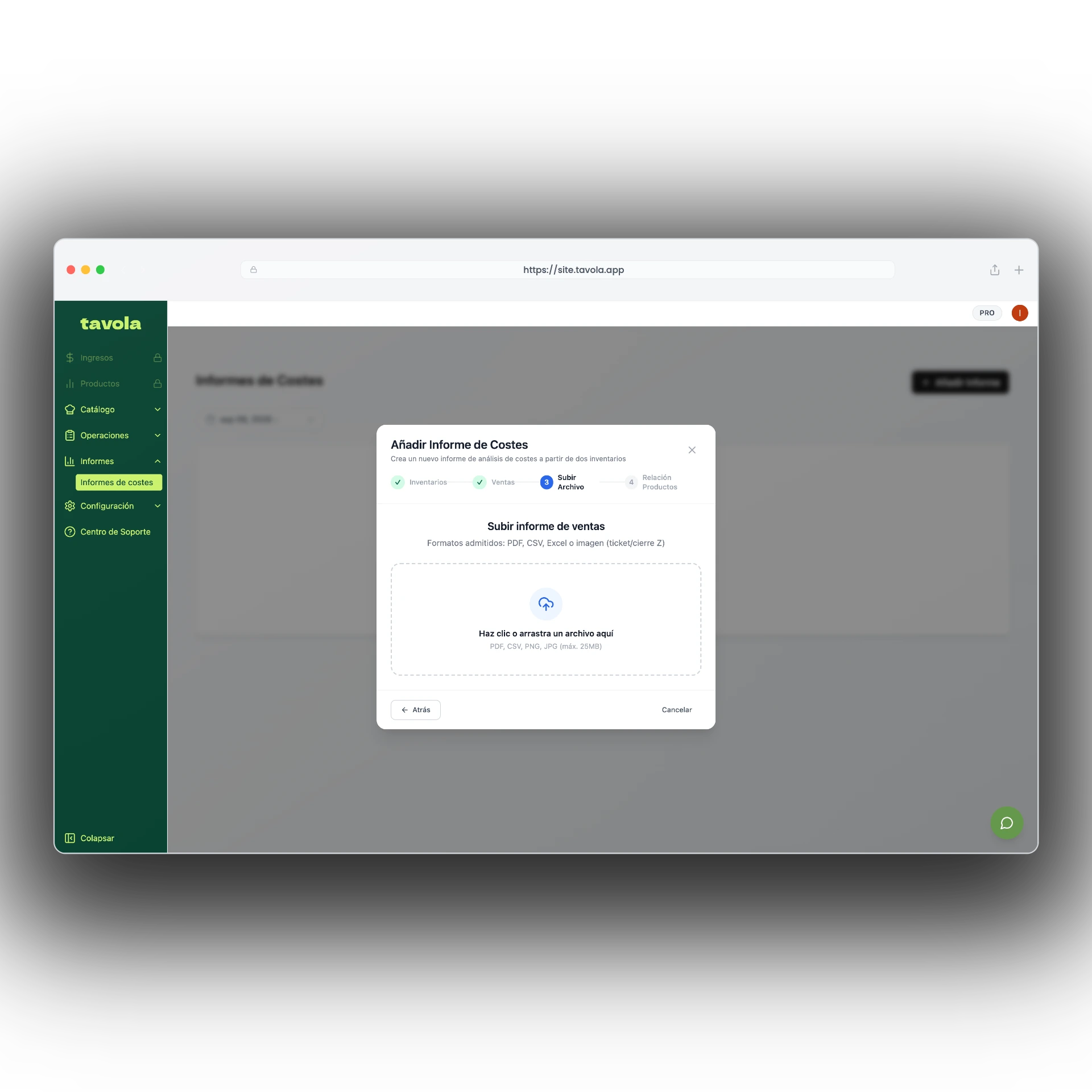 Once the sales are processed, Tavola presents the **Sold Products Mapping** step: * AI automatically recommends matches between POS product names (e.g., *"Classic Double Burger"*) and recipes or ingredients in your Tavola catalog. * Confir